Friday, July 3, 2015

Introducing SAGE 300 ERP- Barcode for Manufacturing & Operation

SAGE 300 ERP- Barcode Manufacturing & Barcode Operation 2014
Careware Systems is excited to introduce the new Suite of Bar-code Solutions for Sage 300 ERP- Manufacturing & Operation 2014
Products


Manufacturing Barcode
solution exclusively for Sage 300 ERP. The new Barcode modules will cover Sage 300 Manufacturing transactions as well as standard Sage operational modules (e.g. O/E, P/O, I/C). 

Barcode Manufacturing


For manufacturing companies, inventory transactions affect purchasing, sales and manufacturing orders on the production floor. Managing the movement of inventory efficiently between these various stages can reduce production cycle times, direct and overhead costs as well as customer delivery/order shipment times. The new Barcode solution is a simple way to add bar coding to your production process in Sage 300 Manufacturing Orders and Shop Floor Control as well as the Operations Suite of Sage 300 ERP including Inventory Control, Order Entry and Purchase Orders.

Easy to deploy and use, the new Barcode module will ensure real-time posting of transaction and higher data accuracy. 

Barcode Manufacturing Integration


Barcode for Distribution Operation.
(Bin Tracking, RMA, Inventory, Order Entry & Purchase Orders)


Inventory is the life blood of wholesale distributors and manufacturing companies. Being able to pinpoint the exact location of inventory in a warehouse reduces shipping errors and handling costs. Managing returns effectively reduces costs and improves customer service; utilizing bar code scanners increases throughput for receipts, shipments and inventory transfers as well as physical counts. If you have to manage inventory, we can help you be more efficient and effective.


The new Barcode solution is designed to be a simple plug-in product to Sage 300 ERP. Easy to deploy and use, the new Barcode module will ensure real-time posting of transaction and higher data accuracy.

 Barcode Operation PO Integration


Contact CAREWARE’s Manufacturing Account Manager Today  
         
To learn all about Sage 300 ERP  Manufacturing Barcode Solutions contact CAREWARE Manufacturing Account Manager today by calling  (03) 79588232, (03) 79588232  or by emailing sales@careware.com.my 


Thursday, June 18, 2015

What’s New: Sage 300 ERP 2014?

Sage 300 ERP 2014
(Promises Simplicity, Convenience, and Collaboration)
-------------------------------------------------------------------
Careware would like to announce the availability to the Malaysia Market the latest version of Sage 300 ERP 2014. 

The key highlights of the 2014 release include:

1. User Interface Modernization and Refresh - Improvements in the main Desktop along with throughout many application screens
2. Enhanced Desktop and Data Entry screens
 Required Fields Indicator
3. User License Management Utility - View Lanpaks users without logging in and see which users are accessing/using
4. Visual Process Flow links - Allow users to add external links to Visual Process Flows such as Macros or third party products
5. General Ledger Listing Report.6. Inventory & Serialized/Lot and BOM enhancement. 
7. Careware- Customized Malaysia GST Advance modules.

1. Redesigned Desktop and Data Entry Screens
A totally redesigned desktop in Sage 300 ERP 2014 features a new ribbon style menu at the top, a navigation tree along the left-side, and modernized buttons and icons. More than just a pretty face, the new desktop replaces complexity with a clean and simple design that saves time and helps you get more done - all without sacrificing the workflow that you’ve grown accustomed to. 
Sage 300 ERP 2014 Features a New Desktop Design Along with New Icons and Toolbars. 
In addition to desktop changes, data entry screens got a facelift and are now 30% larger along with improved column alignment. These changes are designed to create more white space which makes the screens easier on the eyes and facilitates data entry that’s faster and less distracted. 

Combined with the changes to the Desktop, the following changes give the product a fresher look.
2. New O/E Order Entry Screen:

Asterisks have been added to all the required fields. This has been a long time requested feature. These just give you a visual sign of which fields to enter, so you can avoid annoying error messages when you save or post a document.
3. Better methods to manage Lanpaks
First by letting you see what is going on without using a Lanpak and then secondly by giving you more useful information on what people are currently doing.

Further there is an option to see all the screens that they are running and the time when they started the screen.

4. Enhanced Visual Process Flows
In version 2014, we added a few new Visual Process Flows:

·   Project and Job Costing
·   Manufacturing Modules
·   Fixed Assets Modules

A customizable interface that can be helps users better the Sage 300 ERP interface
Key Benefits
  1. Helps newer user better navigate the UI
  2. Customizable; can launch specific Sage 300 ERP programs, reports, macros or other Process Flow through this view using intuitive interface
  3. Fully respects Sage 300 ERP security
It is also now possible to link elements to programs (like Excel), reports and other process flows.

5. General Ledger

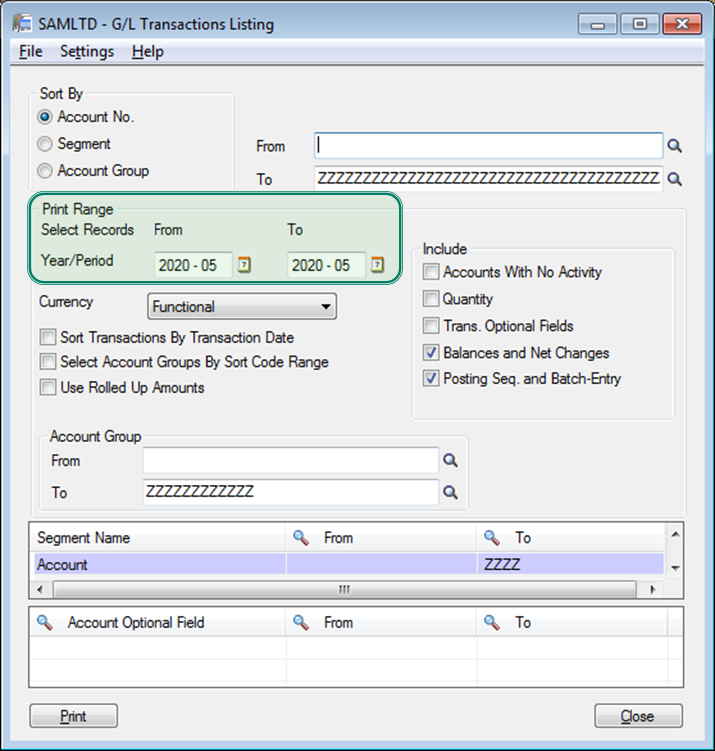
The GL Transaction Listing Report now allows you to include multiple fiscal years and periods. In addition, Financial Reporter now supports Excel 2013.

6. Inventory Control
A new checkbox option will Allow Duplicate Serial Numbers for companies that have serialized inventory and lot tracking turned on. To activate this feature, navigate to the I/C Options screen.


There’s also a new Unit Cost field on the Lot Numbers Inquiry screen that displays the unit cost for items in a lot. It is calculated based on quantity of items in the lot and the total cost of the lot. To find this new field, navigate to:
IC Statistics and Inquiries > Lot Numbers Inquiry


Bill of Materials

A new field labelled “Use as Default” displays when creating a Master Number. This option allows you to set a BOM number as the default when creating assemblies and dis-assemblies. You can select and deselect this box at any time.

7. Careware- Customized Malaysia GST Advance modules.

These are some enhancement that is not catered for in standard GST in Sage 300 ERP.

GST ADVANCE- category A
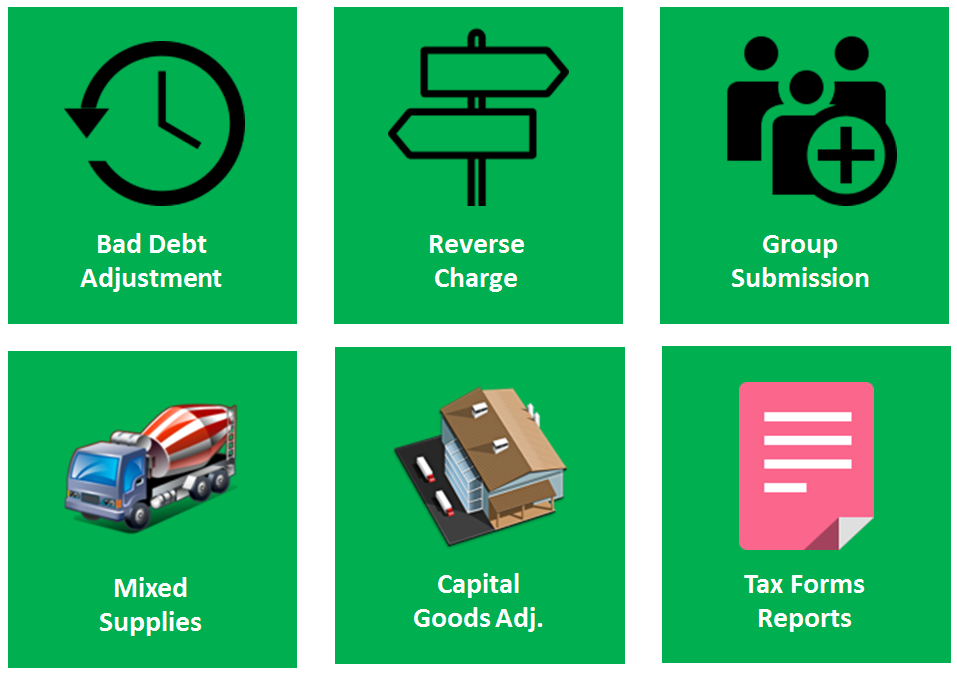
1. Bad Debts Relief and Recovery
2. Reverse Charge Mechanism
3. Advance function for Mixed Mode.
--  (Input Tax Recovery Ratio for clients who falls into this category)
4. Capital Good Adjustment
5. Group Submission

-------------------------------------------------------------------------

About Careware:
Careware Systems is the Premier Partner of Sage and specializes in Sage 300 ERP.
Focusing in the Sage 300 Manufacturing, Sage 300 Distribution and Sage 300 Project.
Careware was awarded Sage Manufacturing Expert – Excellent award and overall Asia Top #1 Premier Partner 2007-2008, 2014 has been serving customers for over 20 years.
For more information, visit:  http://careware.com.my/index.php?mid=1726
To discuss on your needs :  sales@careware.com.my

Monday, June 8, 2015

What's New in Malaysia GST program for Sage 300 ERP?

Careware Systems would like to announce the availability to the Malaysia Market the latest version of Malaysia GST Advance for Sage 300 ERP 2014.

Malaysia GST Basic.

Malaysia GST Advance.


Bad Debts Relief and Recovery


GST Bad Debts Relief & Recovery Program.

 For any Accounts Receivable invoices > 6 Months, the program will generate a listing of Bad Debts Any such AR transactions which are subsequently settled by the client, the program will generate another return for Bad Debts Recovered as Output Tax.

For any invoices not paid to Supplier > 6 months which the company had claimed Input Tax, the system will generate transactions to reverse the same as Output Tax.
Subsequent payment to Supplier will generate automatically a transaction to Input Tax.


Reverse Charge 


Reverse Charge Mechanism     

Reverse charge applies for importation of Services only. When we receive an invoice from our Supplier, we need to uplift a 6% Input Tax and then account for 6% output tax, effect is NIL but needs to be captured for CUSTOM.  

Advance function for Mixed Mode.
(Input Tax Recovery Ratio for clients who falls into this category.)


Capital Good Adjustment


This only applies to client affected by both Standard rated and exempt supplies.

Example: Education. Education is under EXEMPT where UNI cannot claims INPUT Tax and does not account for OUTPUT Tax. However if they run a CAFETERIA, HOSTEL or BOOKSHOP, then they fall into MIXED Mode.

In such scenario, clients are not allowed to claim the FULL 6% INPUT Tax. Instead at the end of each month, IRR program is run and calculation done to determine the % of apportionment for the INPUT Tax against the types of supplies made.  Capital Goods affects only Assets > 100K (excluding GST). Applies in Mixed Mode.

Group Submission


Group submission is an options that apply to companies who has many subsidiary and opted to do group submission instead of individual.

The above customized programs by Careware has already been successfully installed and implemented by clients throughout Malaysia. 

About Careware:
Careware Systems is the Premier Partner of Sage and specializes in Sage 300 ERP.
Focusing in the Sage 300 Manufacturing, Sage 300 Distribution and Sage 300 Project.
Careware was awarded Sage Manufacturing Expert – Excellent award and overall Asia Top #1 Premier Partner 2007-2008, 2014 has been serving customers for over 20 years.
For more information, visit:  http://careware.com.my/index.php?mid=1726
To discuss on your needs :  sales@careware.com.my

Saturday, May 30, 2015

How Modern ERP Solutions Solve the Top 4 Challenges for Manufacturers

How Modern ERP Solutions Solve the Top 4 Challenges for Manufacturers.


Here are four ways ERP solutions can help manufacturers transform industry challenges into competitive advantages. Find out how Sage 300 Manufacturing and it's powerful features out-of-the-box can help you efficiently operate and grow with maximum flexibility.

For more information, visit:  http://careware.com.my/index.php?mid=3443
Request for Free booklet: How to choose a manufacturing systems. 
To discuss on your needs :  sales@careware.com.my


Top Reasons to Upgrade to a Modern ERP Solution

By the Numbers: Top Reasons to Upgrade to a Modern ERP Solution.


Why should you consider upgrading to a modern enterprise resource planning solution? Take a look at the facts and the top four reasons why 1 in 4 businesses are looking to invest in modern ERP this year.

For more information, visit:  http://careware.com.my/index.php?mid=1951

To discuss on your needs: sales@careware.com.my 

Sage 300 ERP - An End-to-End Business Solution.

Sage 300 ERP

Sage 300 ERP, formerly Sage Accpac, brings you powerful functionality, greater flexibility, and real-time insight. From accounting and human resources, to customer relationship and inventory management -- connect your entire business into a single integrated solution.


For more information, visit:  http://careware.com.my/index.php?mid=1951
To discuss on your needs: sales@careware.com.my

Friday, November 21, 2014

German-Malaysia Institute replaces its Dynamics Nav with Sage 300 ERP. V. 2012.

Press Release:  21 November 2014

German-Malaysian Institute (GMI), a joint venture between the Governments of Malaysia and Germany. GMI is governed by a 10-member Board of Directors comprising representatives from the governments, public and industrial bodies. The institution was set up as a Company Limited by Guarantee whereby the founders are Majlis Amanah Rakyat (MARA) and the Malaysian German Chamber of Commerce and Industry (MGCC), and its implementing agencies are MARA and German Technical Corporation (GTZ). GMI had its first student enrollment in 1992 and the growing number of enrollment prevails.

The institute provides a broad-based engineering education, with opportunities for specialization and self-directed learning and development. GMI offers diverse training programs and services consisting of full time diploma programs, a pre-university program (A-Level), skills upgrading technical courses, train-the-trainers programs, and industrial consultancy and services.

Problem
For its enterprise resource planning (ERP) solution, GMI had relied on Navision ERP from Microsoft. But over time, the solution grew “obsolete” as newer versions of NAV is being release. The institute experienced numerous inefficiencies using the current Dynamics Nav system, but it ultimately came down to a lack of business insight and tedious, manual processes. And by that point, and to fuel its next phase of growth GMI have to decide whether they were to upgrade to the latest version of Dynamics Nav or get a new ERP system entirely which may cost them more or less the same amount.”

Solution
After considering its options, including upgrading to the latest version of Microsoft Dynamics NAV, GMI decided to engage CareWare Systems to implement the Sage 300 ERP  v. 2102 because of her track records and domain experiences in the educational sector. Moreover the Sage 300 ERP has the most installed based in the private universities & colleges in Malaysia and is a proven and robust ERP systems.

Current GMI will install the entire Financial Suites; operational & purchasing suite on its campus on it Local Area Network System. CareWare will also customized the solutions to suits some of its unique needs.

The solution also fits in well with the institute’s plans for national expansion. “Sage 300 ERP has the capabilities to support our business on a national scale; we could customize and expand it to meet any changing requirements,” explains GMI. “We also felt that there was considerable support for the solution from Sage Premier Partner CareWare Systems Sdn Bhd.”